Dinos cómo podemos ayudarte
Ventas y precios
Habla con un representante sobre las necesidades de tu empresa

Ayuda y soporte
Consulta nuestras opciones de soporte de productos
Consultas generales y ubicaciones
Contáctanos


BMC AMI
Novedades en soluciones para mainframes
Conoce nuestra edición de julio de 2026

Innovación continua para tu mainframe con visión futura
Al incorporar activamente GenAI y Agentic AI en BMC AMI, te nos Ve construir sobre nuestra reputación de innovaciones continuas que aprovechan el poder de la IA y la Nube para ayudar a modernizar te en tu mainframe moderno, mientras construyes una base para el crecimiento en un entorno híbrido preparado para IA y con visión de futuro.
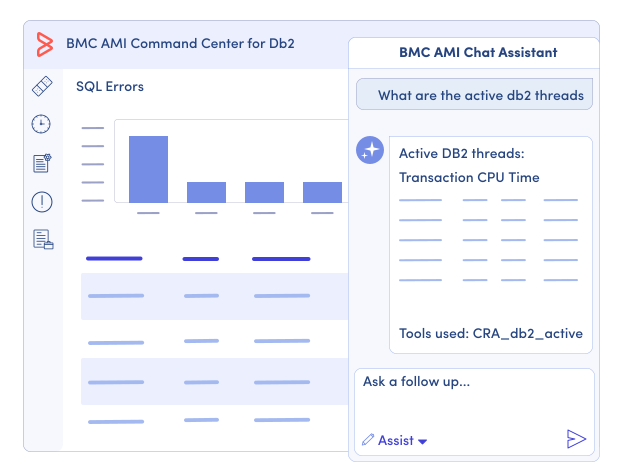
Redefinir las operaciones de mainframe con IA agente
Haz decisiones más rápidas y con menos riesgos ampliando BMC AMI Assistant con acceso habilitado MCP a datos operativos en tiempo real. Combinar datos operativos en tiempo real y conocimiento institucional en una experiencia en lenguaje natural acelera la resolución y permite futuras operaciones de IA agente.
-
Acelera la investigación y la toma de decisiones con BMC AMI Assistant, recientemente ampliado como cliente MCP que ahora combina conocimientos institucionales con datos operativos en tiempo real en un único flujo de trabajo en lenguaje natural.
-
Reduce el riesgo y hace cumplir el cumplimiento con la nueva Pasarela MCP, proporcionando acceso regulado a datos operativos, herramientas y acciones mediante controles y barreras conscientes de las políticas.
-
Minimiza el cambio de contexto para los DBAs integrando BMC AMI Assistant directamente en el Centro de Mando AMI de BMC para Db2, combinando la experiencia de BMC, el conocimiento institucional y datos operativos en vivo en una única experiencia en lenguaje natural.
-
Prepárate para la evolución desde la visión impulsada por IA hasta operaciones asistidas por IA y agentes con un taller gratuito de preparación para IA que valorará la preparación organizativa, identificar casos de utiliza de alto valor y desarrollar una hoja de ruta práctica alineada con las prioridades de tu negocio.
Transformación de la gestión secundaria de datos de mainframe
Procesa más datos más rápido y con menos sobrecarga en entornos híbridos acelerando el movimiento de datos, mejorando el procesamiento de alto volumen, reforzando la integración con Db2 y validando copias de seguridad de almacenamiento de objetos S3 para aumentar el rendimiento y la resiliencia con BMC AMI Cloud.
-
Escala el procesamiento de datos de alto volumen con un transportador de datos de alto rendimiento para copias de seguridad con volcado completo—reduciendo la dependencia de DFDSS, disminuyendo el consumo de GCP y mejorando la utilización del motor zIIP (próximamente).
-
Mejora el rendimiento y la escalabilidad con mejoras basadas en Java que optimizan cargas de trabajo de datos a gran escala, incluyendo copias de seguridad, transferencias y restauraciones en entornos híbridos.
-
Ofrece operaciones de datos más rápidas y resilientes extendiendo la gestión de datos de Db2 a S3 con Cloud Data Sets (CDS), asegurando copias de seguridad validadas y listas para usar con flujos de trabajo de nombres de cinta fluidos.
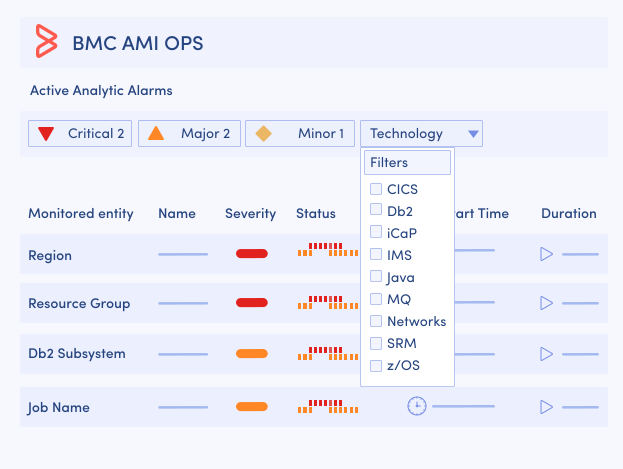
Reactivar las operaciones del mainframe
Resuelve problemas más rápido, con menos ruido y complejidad. Mejora la toma de decisiones y la productividad con IA contextual, mayor visibilidad en z/OS y ahora zCX, y capacidades flexibles de automatización con BMC AMI Ops.
-
Céntrate en las anomalías que más importan con las Alarmas Analíticas contextuales impulsadas por IA en los monitores AMI Ops BMC y flujos de trabajo que van más allá de las alertas de umbral tradicionales, aprendiendo del comportamiento histórico para Reduce el ruido y destacar problemas significativos.
-
Detecta y resolver problemas más rápido mientras se reduce el riesgo mediante la monitorización full-stack entre IBM® z/OS e IBM® z/OS Container Extensions (zCX), que correlaciona el comportamiento del sistema en una única vista integrada para mejorar la visibilidad de las cargas de trabajo basadas en contenedores en BMC AMI Ops supervisa para z/OS.
-
Aumentar la eficiencia y Reduce el esfuerzo manual ampliando los métodos de automatización para incluir Python, una opción habitual para nuevos profesionales de la automatización, junto con REXX y enfoques basados en reglas para preservar flujos de trabajo existentes y permitir mayor flexibilidad con BMC AMI Ops Automation.
Reimagina el desarrollo de mainframes y las aplicaciones de refactorización
Entrega aplicaciones más rápido, con menos riesgo y complejidad acelerando la entrega segura y cumple con desarrollo impulsado por IA, análisis basados en roles, diagnósticos en tiempo real y flujos de trabajo gobernados a lo largo del ciclo de vida del software mainframe con BMC AMI DevX.
-
Garantizar el cumplimiento y la transparencia generando una Lista de Materiales de Software (SBOM) basada en estándares durante la compilación, capturando cada componente sin añadir herramientas ni ralentizar la entrega con BMC AMI DevX Code Pipeline.
-
Aumenta la productividad del equipo con conocimientos específicos de rol y acciones específicas, ampliando la función de Análisis de Aplicaciones Empresariales de BMC AMI zAdviser de un resultado exclusivo para seniors a una capacidad de equipo completo en seis roles distintos.
-
Reduce el tiempo de reparación y elimina el cambio de contexto analizando las abruptiones directamente en VS Code, con el análisis de causa raíz y la recreación de fallos BMC AMI DevX Abend-AID integrados en el BMC AMI DevX Workbench para VS Code.
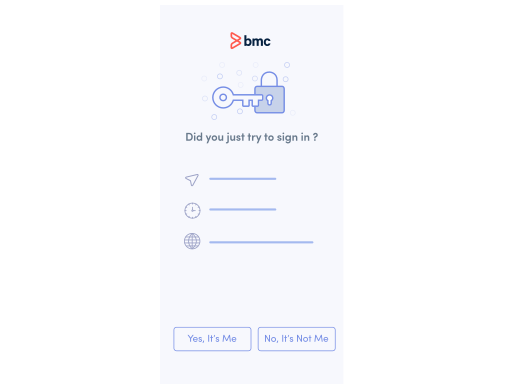
Recertifica tu postura de ciberresiliencia
Fortalece la ciberresiliencia con menos riesgos y fricciones con controles integrados de Zero Trust y autenticación adaptativa con BMC AMI Security.
Fortalecer la autenticación y Reduce la fricción del usuario con la autenticación multifactor (MFA) personalizada a nivel Sysplex, mejorando la adopción de seguridad sin interrumpir los flujos de trabajo críticos de acceso a mainframes con BMC AMI Enterprise Connector para Okta.
Conoce más sobre BMC AMI Security
Redefinir la gestión de datos de mainframe agente
Obtén información más rápida con menos complejidad y cambio de contexto accediendo a datos operativos en tiempo real para mejorar la toma de decisiones y acelerar el análisis de transacciones críticas con inteligencia impulsada por IA dentro de BMC AMI Data.
-
Elimina el cambio de contexto para los DBA accediendo a datos operativos en tiempo real de BMC AMI Ops, directamente dentro del flujo de trabajo, usando MCP Gateway y BMC AMI Assistant integrado en el BMC AMI Command Center para Db2.
-
Acelera los insights y mejora la productividad con visibilidad centralizada de datos críticos y hasta un 38% de informes más rápidos dentro del BMC AMI Command Center for IMS.
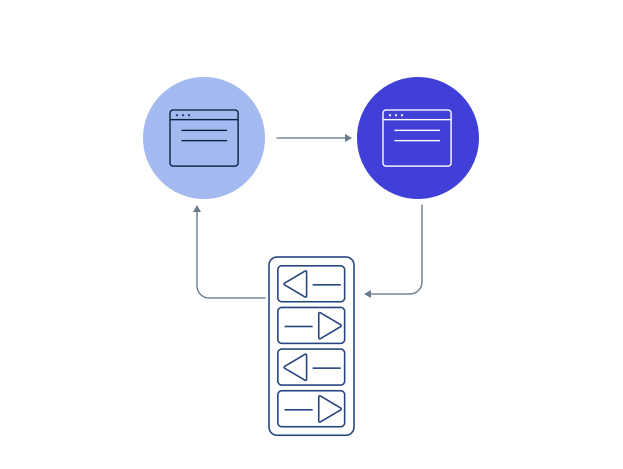
Simplifica y agiliza el cambio de proveedores
Reduce el coste y el riesgo de cambiar de proveedor y avanza con confianza. Transición a BMC mediante un enfoque probado y estructurado impartido por expertos BMC, diseñado para simplificar la ejecución, mejorar la predictibilidad y apoyar la modernización a gran escala.
-
Reduce el esfuerzo de migración, el coste y el tiempo de análisis simplificando las actividades complejas de análisis y preparación para Reduce significativamente el esfuerzo manual y comprimir los plazos de semanas a días en los primeros casos de utiliza.
-
Acelera los plazos de migración mediante una ejecución optimizada mediante un enfoque de entrega coordinado y eficiente que reduzca el tiempo de ciclo y ayude a las organizaciones a avanzar más rápido que los métodos tradicionales y secuenciales.
-
Gestiona con precisión las tareas críticas de migración, incluyendo extracción, transformación, validación y gestión de configuraciones para garantizar la consistencia y minimizar la interrupción.
-
Mejorar la precisión y Reduce los errores manuales con procesos estructurados de validación e informes que mejoren la fiabilidad, identifiquen rápidamente desajustes y aseguren resultados consistentes a lo largo de todo el ciclo de vida de la migración.
-
Permite una entrega de migración escalable y repetible con enfoques estandarizados y basados en la experiencia que mejoran la eficiencia operativa y la coherencia entre entornos.
-
Genera confianza con un enfoque de migración probado y de bajo riesgo, respaldado por experiencia real para garantizar la continuidad y la estabilidad del negocio.
Renovar recursos de mainframe
Resuelve desafíos reales con la experiencia de BMC navegando con confianza los flujos de trabajo de mainframe y resolviendo escenarios complejos con las Guías de Experiencia de BMC que son diseñadas para:
-
Avanza fácilmente en los flujos de trabajo con una guía clara y paso a paso
-
Reduce errores y esfuerzo manual en despliegues y operaciones con información accionable
-
Ofrecer orientación transversal para soluciones integradas
-
Aprovecha las mejores prácticas de escenarios de implementación del mundo real
-
Ahorra tiempo proporcionando información útil directamente de expertos de BMC

Cerrar la brecha de habilidades en mainframe
Acelera la productividad de tu equipo con formación práctica
Para universidades y colegios, ayuda a los estudiantes a desarrollar habilidades del mundo real utilizando software de nivel empresarial con el Programa de Acceso Educativo BMC AMI para universidades acreditadas.
Además, se han añadido nuevos cursos educativos a la biblioteca de BMC Education, apoyando las trayectorias de aprendizaje de tu equipo para BMC AMI. Echa un vistazo a los cursos que son nuevos este trimestre.
BMC AMI Cloud
BMC AMI DevX
Pipeline de código AMI DevX de BMC 22: Desarrollo en el examen ISPF
Pipeline de código AMI DevX de BMC 22: Desarrollo en Workbench para el examen Eclipse
BMC AMI Ops